Simple Arduino Blink LED AVC-C on Linux
AVR-C
If you like programming in C, this is a basic program to make an LED blink using the AVR-C programming language for Atmel microcontrollers. It is worth noting that using Sketch is much easier to build anything with Arduino
Install packages
sudo apt update
sudo apt install avrdude gcc-avr binutils-avr avr-libc make
Program
Open Vim or your editor of choice and write the code
// main.c

#define F_CPU   16000000UL // Set clock speed

#include <avr/io.h>
#include <util/delay.h>

int main(void) {

    unsigned int delay = 1000;

    // Set PORTB0 as an output
    DDRB = (1 << DDB0);

    while(1)
    {
       // Set PORTB0
       PORTB = (1 << PORTB0);

       // Wait
       _delay_ms(delay);

       // Unset PORTB0
       PORTB = (0 << PORTB0);

       // Wait
       _delay_ms(delay);
    }
}
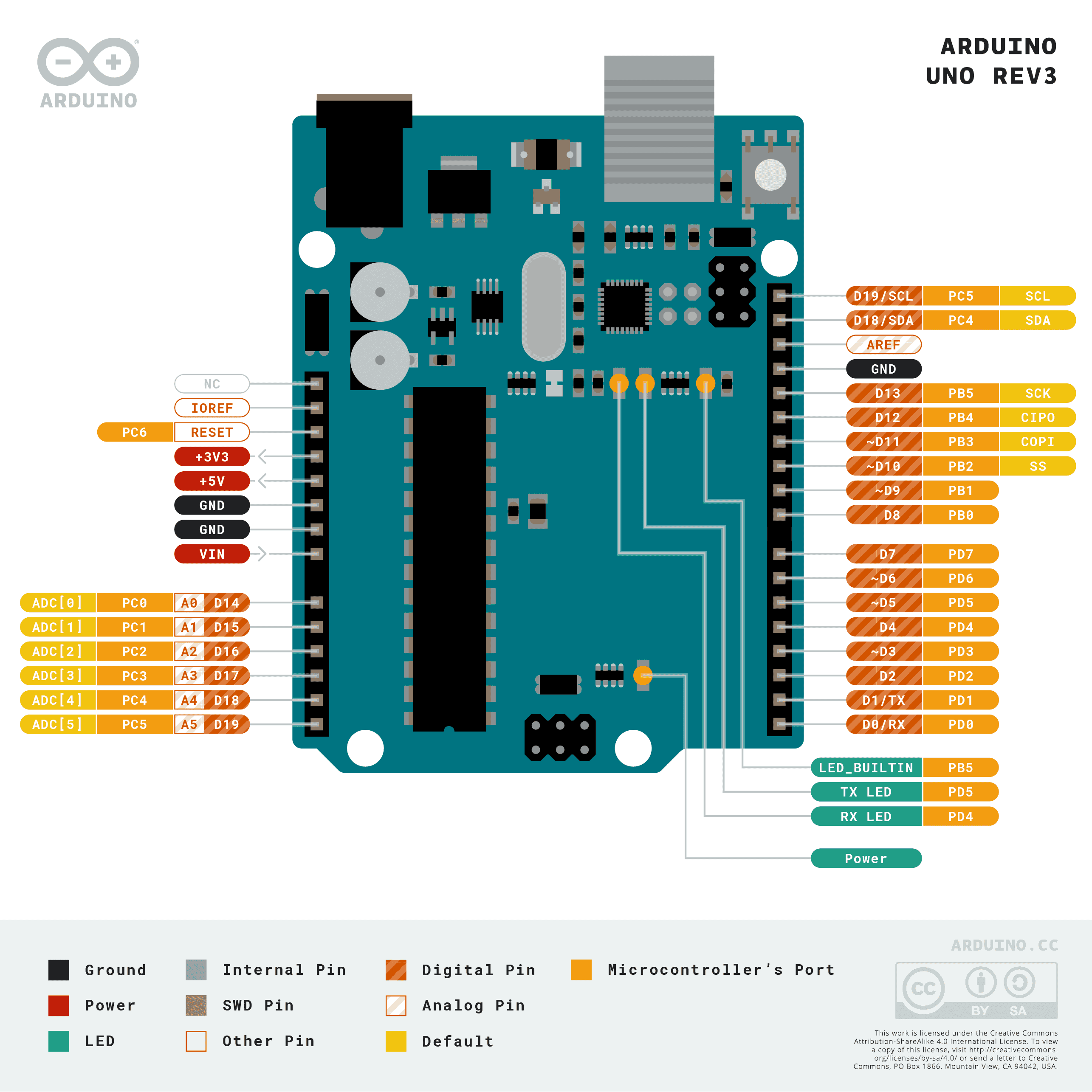
PORTB0 refers to PB0 on the pinout image
Makefile
Makefile is very common tool when programming Arduino in AVR-C. Alternatively, you could run each command one by one
# Makefile

default:
        avr-gcc -Os -mmcu=atmega328p -c -o bin/main.o main.c
        avr-gcc -o bin/main.bin bin/main.o
        avr-objcopy -O ihex -R .eeprom bin/main.bin bin/main.hex

upload:
        sudo avrdude -F -V -c arduino -p ATMEGA328P -P /dev/ttyACM0 -b 115200 -U flash:w:main.hex
Setup the breadboard and the Arduino
I’m using the Arduino UNO R3 with an Atmega328p chip. But it probably work on previous version of UNO
- Wire the breadboard, the LED and the resistor as seen on the image
- Connect the red wire to PORTB0 (D8), the blue wire to ground and plug Arduino to the computer using the USB cable

Compile and upload
Start by making a new directory ‘bin’ in the same location that the ‘main.c’ file than compile with ‘make’ and upload the program to the Atmega328p using ‘make upload’
mkdir bin

make
make upload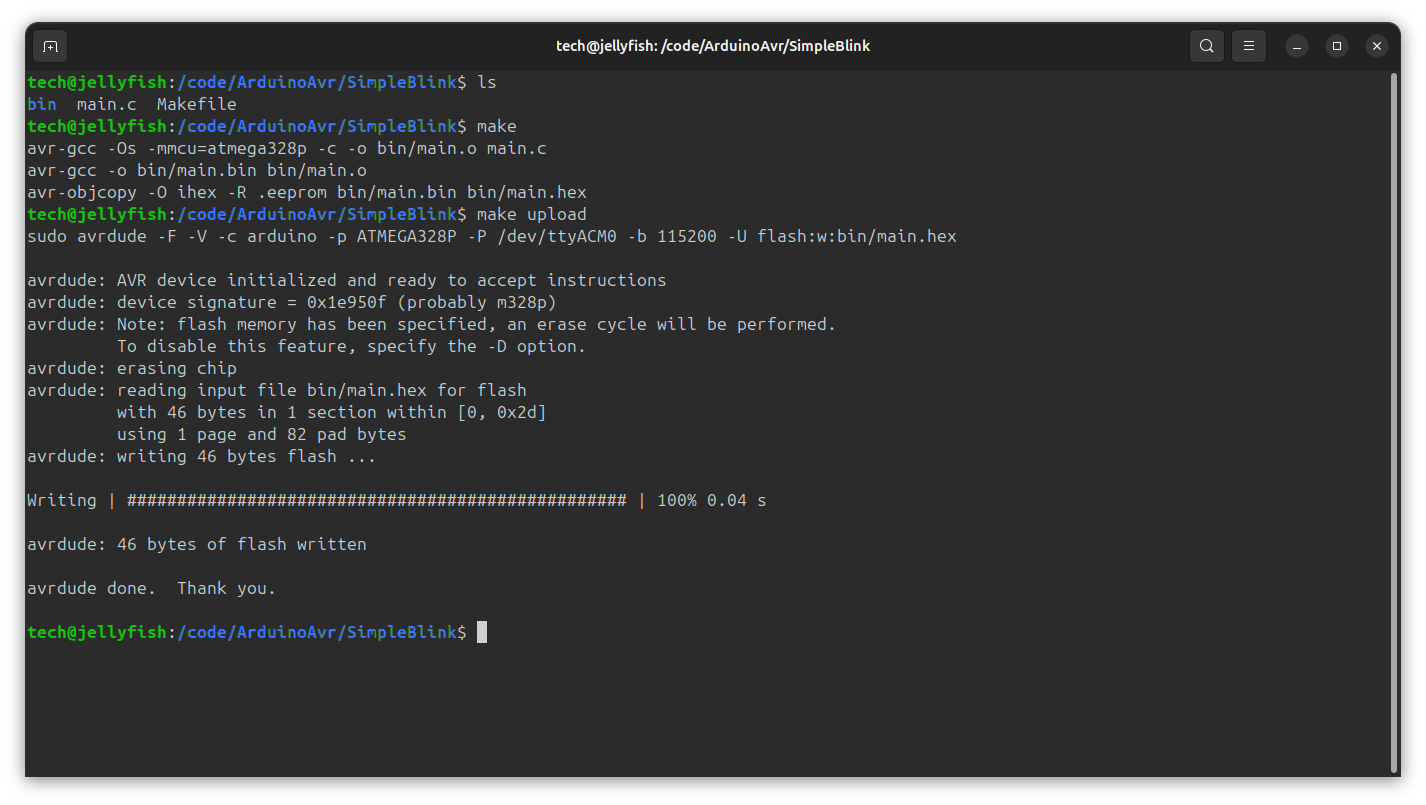
Resources
Low Level Learning - Getting Started with Baremetal Arduino C Programming